chevron_left
-
 play_arrow
Chilli FM The Hottest Sound on the Coast
AD

How to Listen to Chilli FM on Your Smartphone and Tablet
AD
AD
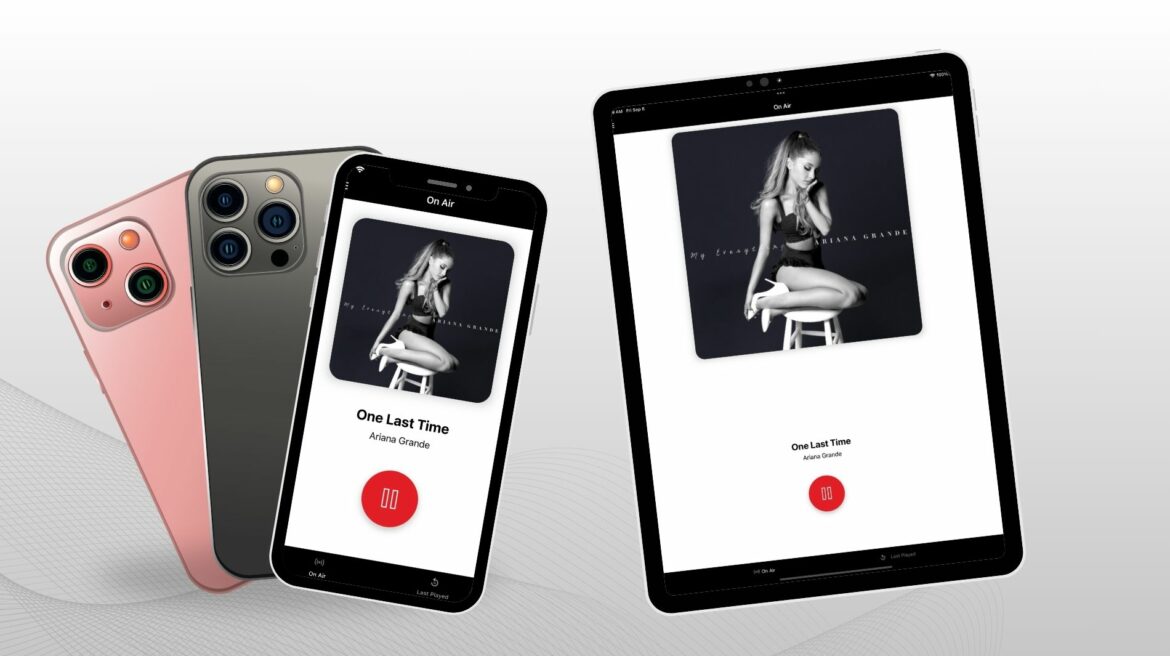
Music is always better when it’s with you. Whether commuting, working out, or relaxing at home, Chilli keeps the Costa del Sol vibes going. Here’s how to turn your smartphone or tablet into your personal Chilli jukebox.
For Apple Devices (iPhone & iPad)
1. Download the Chilli App
- Open the App Store and search for Chilli FM
- Tap Download to install
2. Launch the App
- Open Chilli FM on your device
3. Start Streaming
- Press Play and enjoy the music
- Explore the Last Played songs directly in the app
4. Background Playback
- Multitask freely. The app keeps playing while you use other apps
For Android Devices (Phones & Tablets)
1. Download the Chilli App
- Open Google Play Store and search for Chilli FM
- Tap Install
2. Launch the App
- Open Chilli FM from your app drawer
3. Start Streaming
- Hit Play and enjoy the rhythm
- Access Last Played songs for easy catch-up
Tablet Users:
Whether you’re on an iPad or Android tablet, follow the same steps as above for your device’s operating system
Final Tip:
Now that your mobile device is tuned into Chilli FM, the world is your dance floor. Turn it up, enjoy your favourite Costa del Sol music, and let the vibes flow wherever you go!
AD
Similar posts







AD
AD
AD